Chapter 34 - Terraform Cloud - Private Module Registry
Hosting your modules in a private registry
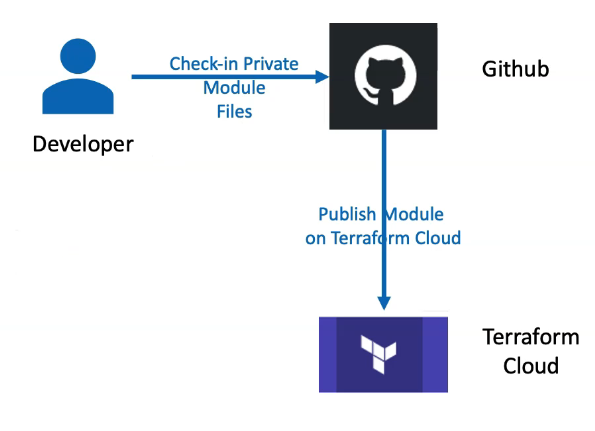
Demo
- Create a new private repository in GitHub for our Static Website demo
- Copy the files from Git 55 Modules manifest folder to your repo and commit and push.
- Create a new release (v1.0.0)
Terraform Cloud Private Module
- Log into TF Cloud and publish a new module
- Select the repo and publish
- It should match the type of repo you have in GitHub.

Github Custom
Add VCS Provider using OAuth. V173 for reference.
- Go to TF Cloud -> Organization -> Registry tab
- Click on publish private module
- You'll be prompted to create a new application on GitHub. Click that link and register the application

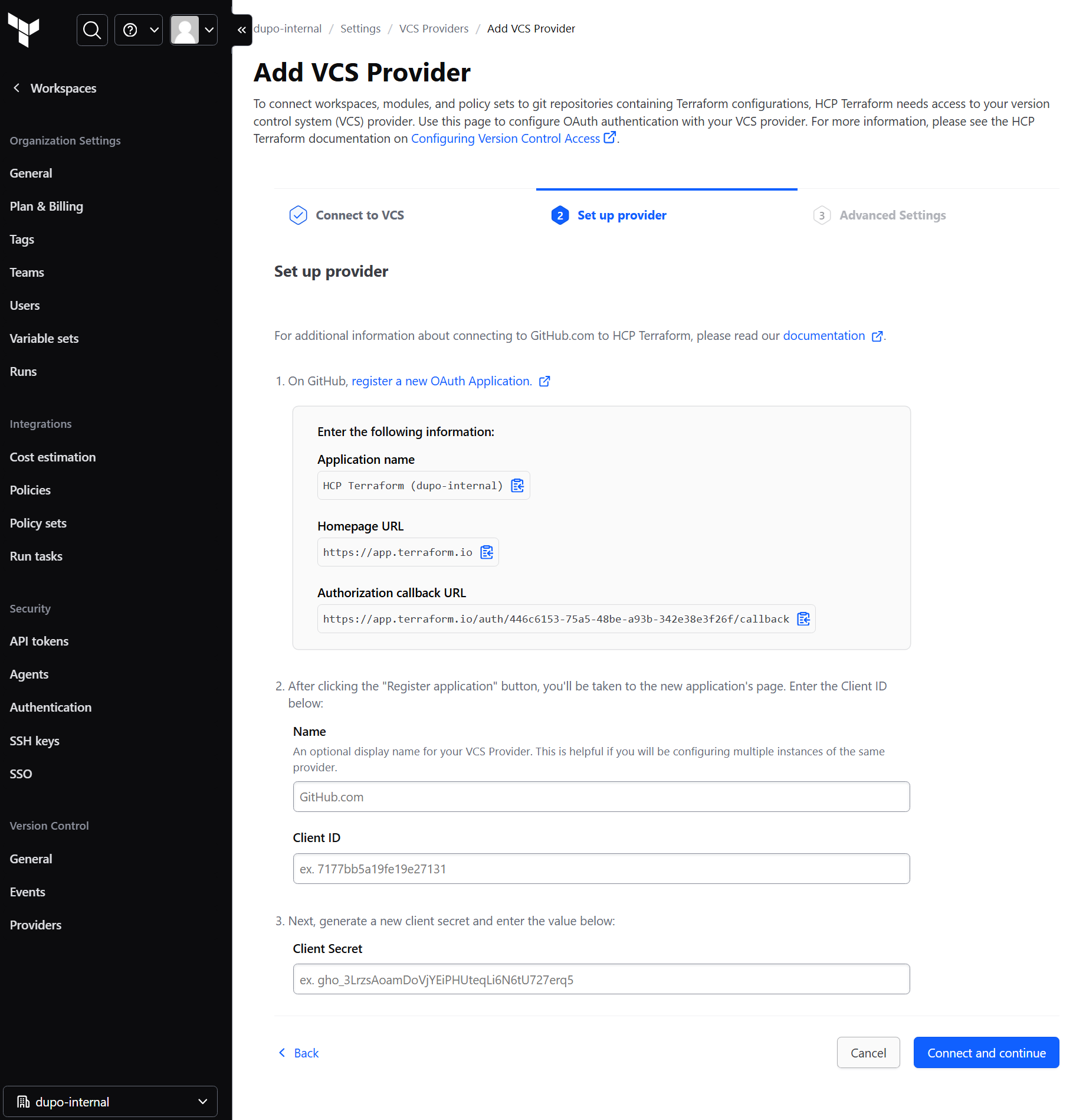
- Grab the client ID and generate a secret and enter it in the screen as shown above.
You will be prompted to confirm that the app can have the access:

Publish module via Github Custom:

Create TF Configs, use source as Private Module
static-website.tf:
# Call our Custom Terraform Module which we built earlier
module "staticwebsiteprivate" {
  source  = "app.terraform.io/dupo-internal/staticwebsiteprivate/azurerm"
  version = "1.0.0"

  # Resource Group
  location            = "eastus"
  resource_group_name = "myrg1"

  # Storage Account
  storage_account_name              = "staticwebsite"
  storage_account_tier              = "Standard"
  storage_account_replication_type  = "LRS"
  storage_account_kind              = "StorageV2"
  static_website_index_document     = "index.html"
  static_website_error_404_document = "error.html"
}
NOTE: If running on the CLI, you will need to authenticate into the private repo:
credentials "app.terraform.io" {
  # valid user API token
  token = "xxxxxx.atlasv1.zzzzzzzzzzzzz"
}
You will need to create a token on Terraform Cloud or log in to Terraform Cloud on the CLI.
You will get an Error accessing terraform registry message without logging in to a private registry